SG - Modified CDPv2 Executable Setup Download PDF
SETUP GUIDE

Modified CDPv2 Executable (adjusted for large exports)

Setup Guide

Document Details

Document #: 160_CR640_191004
Release Version: 06.40.00.00
Version Release Date: February 2019

Overview

The following CDP executable is being delivered to correct the performance issues that were experienced when downloading large scheduled exports from a live environment. The instructions explain how to set up this replacement code on any server or computer that is currently running the latest version of the CDPv2.

Important Prior to implementing this in any Production environment, this must be tested by the client in a TEST or Lab instance to ensure it works as expected.
QR code — scan to download the latest version of this guide
Be sure to grab the latest version of this document here: https://links.crunchtime.com/SG-ModifiedCDPv2Executable

OR by scanning the QR code to the left.

Modified CDPv2 Executable Instructions

  1. 1
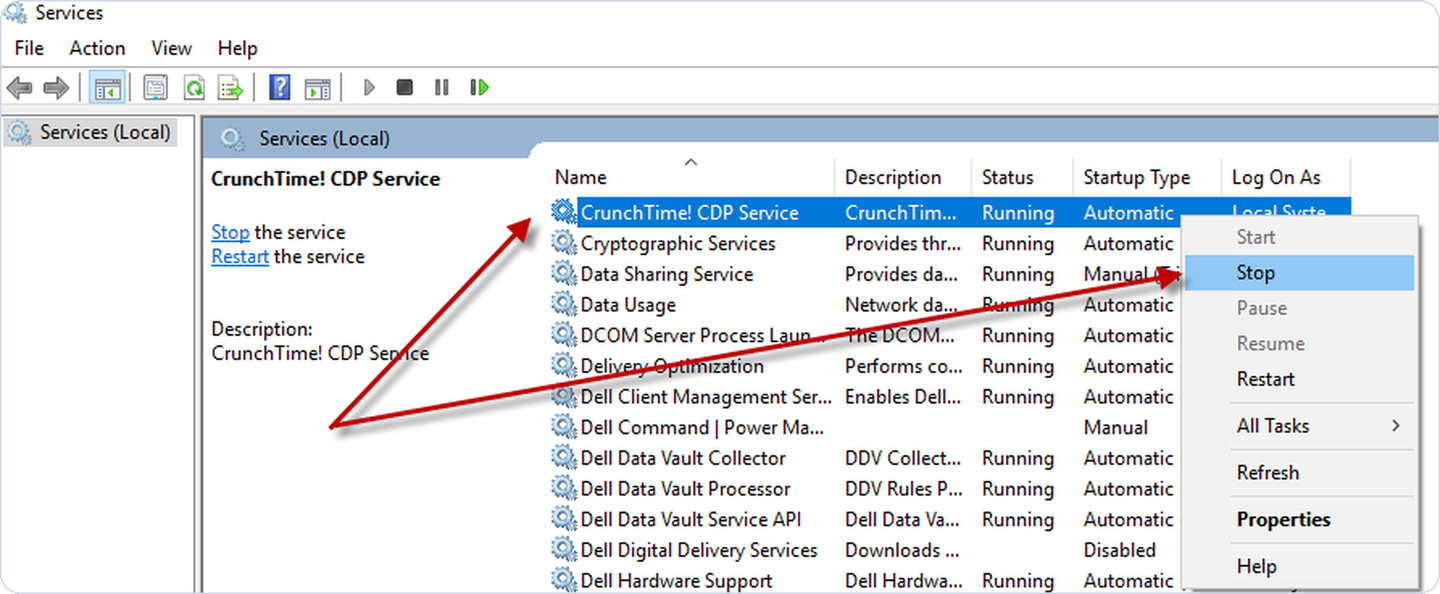
    Within Services on the computer or server that is hosting the current version of the CDPv2, ‘Stop’ the Crunchtime CDP Services.
Screenshot
  1. 2
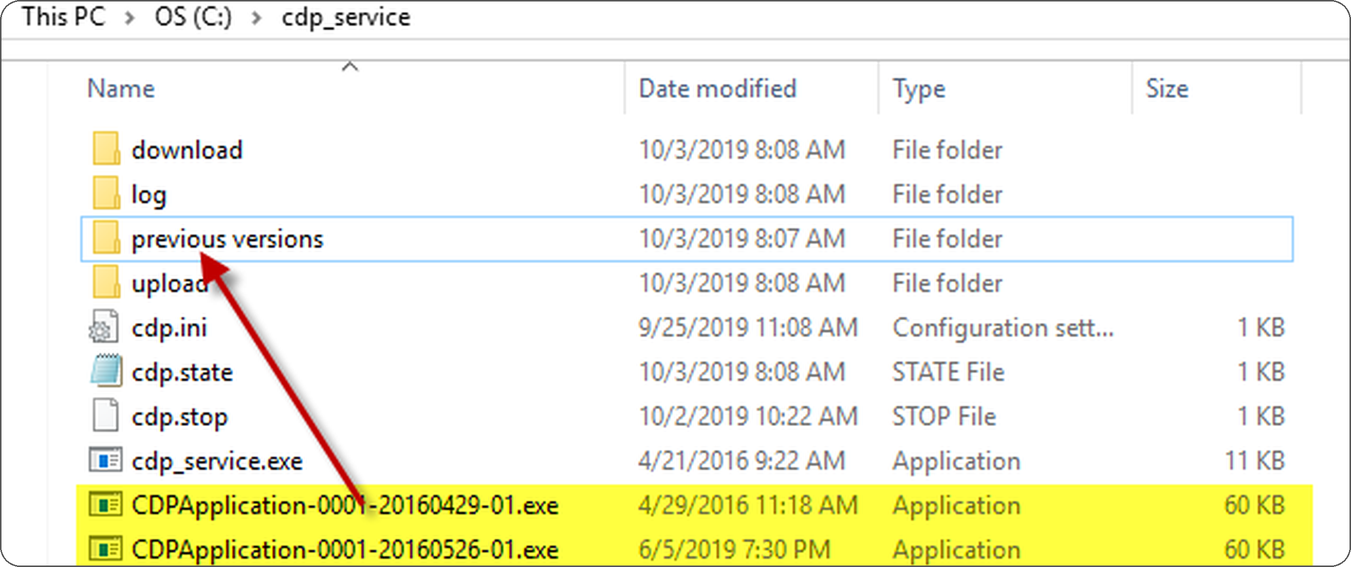
    Isolate any current and previous versions of the CDPApplication that exist in the CDP_SERVICE directory. We suggest just moving them to a sub folder for the time being.
Screenshot
  1. 3
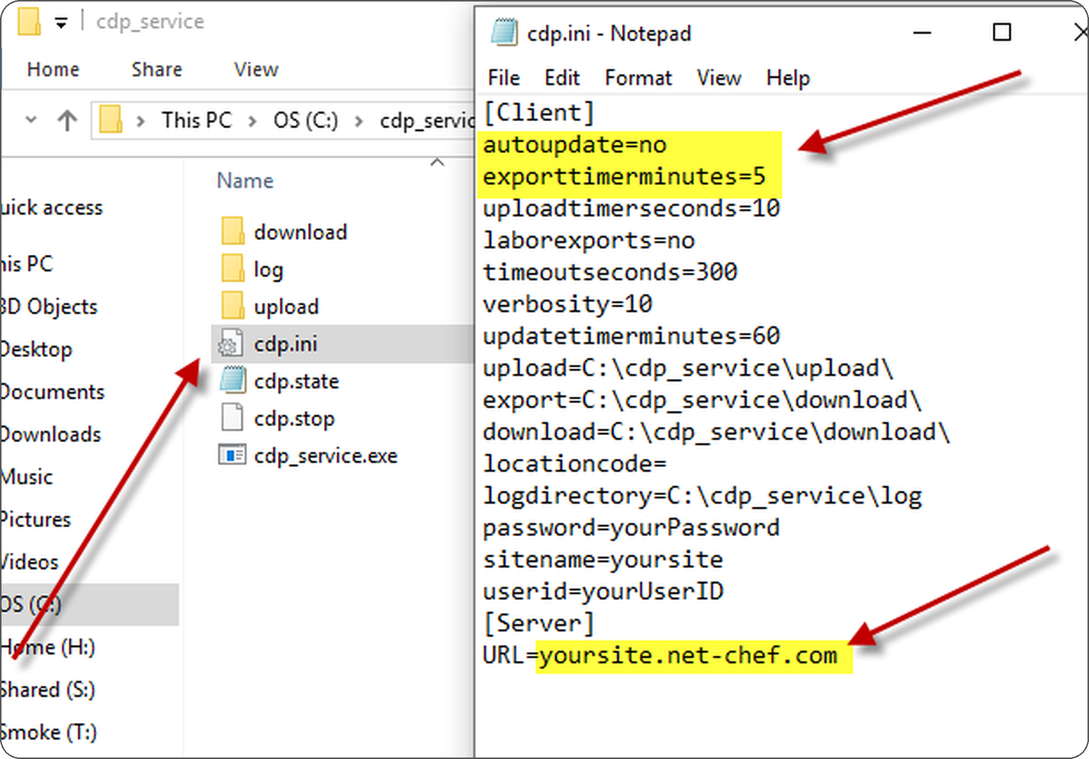
    Within the CDP_SERVICE folder, open the ‘cdp.ini’ file and adjust the ‘autoupdate=’ from ‘yes’ to ‘no’. Also please ensure the URL listed is the correct environment.
    • Save these changes
Optional Adjustments
  1. You may elect to adjust the ‘exporttimerminutes=’ to something that assists in testing as the default is 60 minutes.
  2. Additionally, you may to elect to delete all log files in the CDP_SERVICE\logs folder for easier tracking of performance during testing.
    • New files will be created once the service is running again
Screenshot
  1. 4
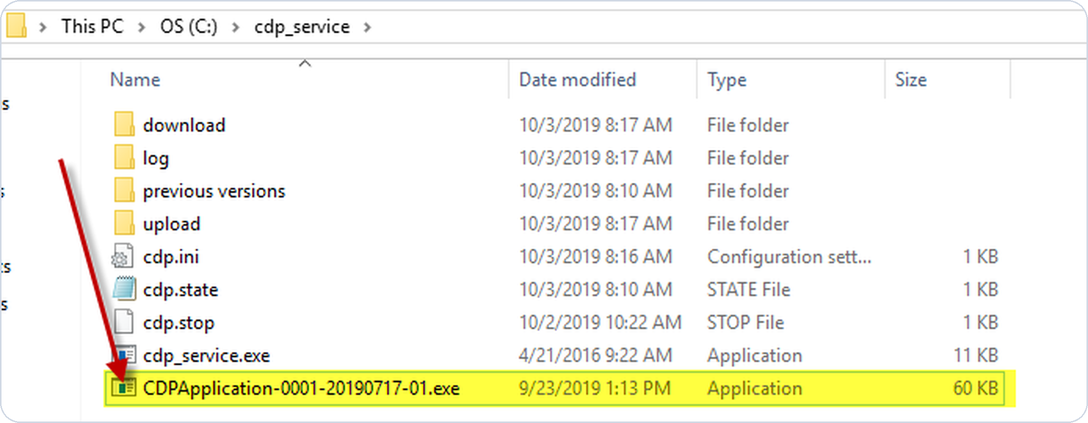
    Extract the attached zipped executable (that you received from Crunchtime) to the same CDP_SERVICE folder to replace those that were moved.
Screenshot