Download the latest version of this document here:
https://links.crunchtime.com/SG-XeroIntegrationSetup
… or scan the QR code to the left.
| Screen Name | Control Name | Description |
|---|---|---|
| Company | Add/Delete/Save | Add information to the Company detail screen, delete non-required information, and make changes to the screen. |
| Location Details | Add/Delete/Save | Add or delete a location record, make and save changes to location details. |
| Vendor Details | Add/Delete/Save | Add information to the Vendor Details screen, delete non-required information, and make changes to the screen. |
| General Ledger | Add/Delete/Save | Add or delete General Ledger accounts, make and save changes to the list. |
Crunchtime has developed API Integration between the Crunchtime platform and the Xero application. This integration will push Accounts Payable (invoices/vendors), Inventory changes, and Sales summary data into the Xero application.
The following information must be configured in the Crunchtime and Xero applications before you begin integration setup:
This guide will cover the following steps needed to set up the Xero integration.
A User Defined Attribute (UDA) is a manually entered value used to configure attributes that don’t exist natively within the Crunchtime application but may need to be referenced for your integration with the Xero application. These settings are first configured at the Company level and then may be further configured at the Vendor and/or Location level if necessary.
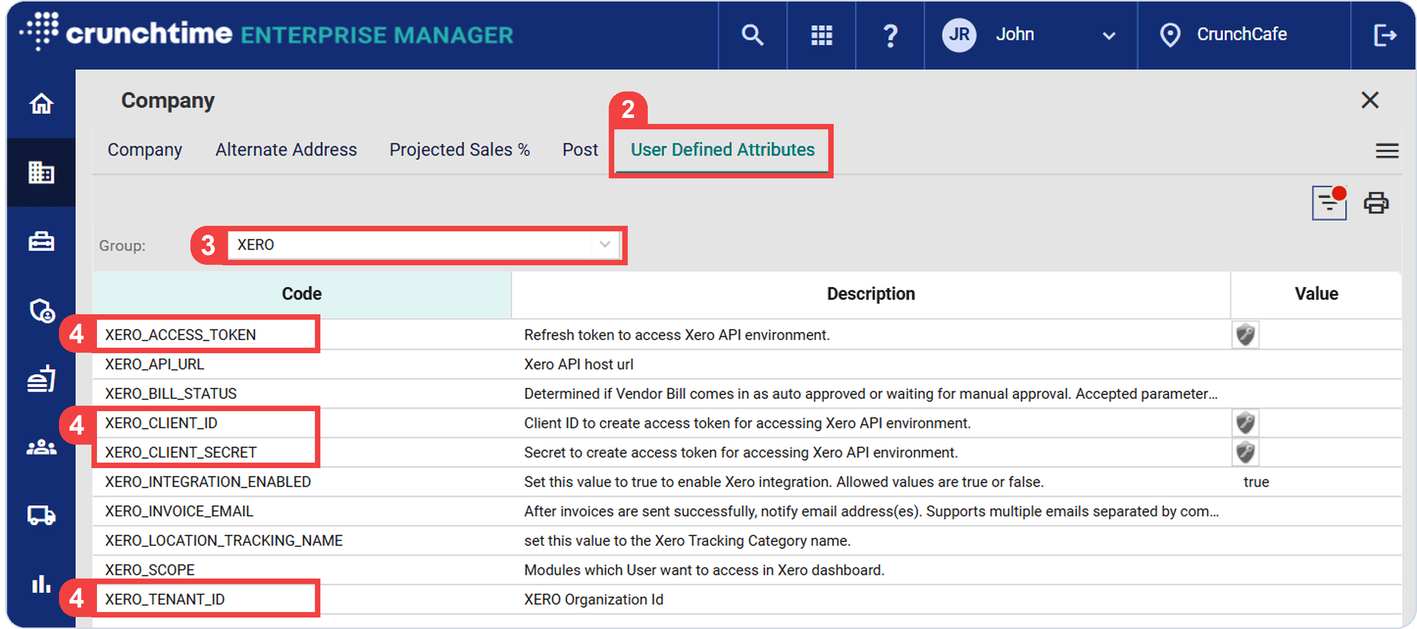
Choose the User Defined Attributes tab.
From the Group drop-down, select ‘XERO’. This will filter the list of UDAs to include only attributes related to the Xero integration. (You can also filter for “Code” = ‘XERO’.)
The following UDAs (highlighted above) must be obtained from Xero. The values for these UDAs are crucial for the integration between Crunchtime and Xero to function.
• XERO_CLIENT_ID – Indicates the Client ID needed to access Xero.
• XERO_CLIENT_SECRET– Indicates the Client Secret ID needed to access Xero.
• XERO_TENANT_ID – Indicates the Xero organization ID.
Locations, Vendors, and GL Codes need to be configured in Crunchtime and matched against corresponding entries in Xero before running any integration processes.
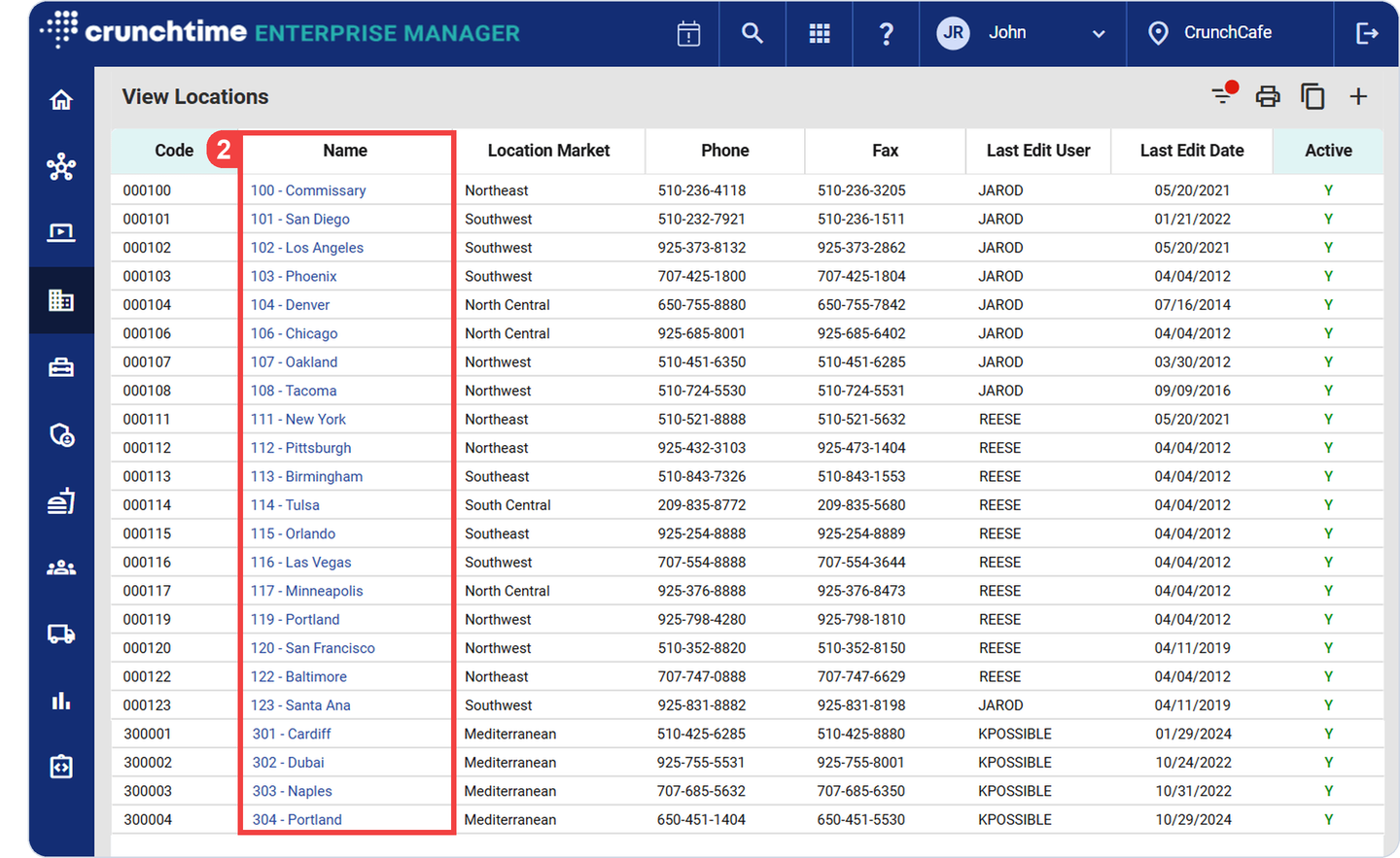
Verify the Name of the locations in Crunchtime match those entered in Xero.
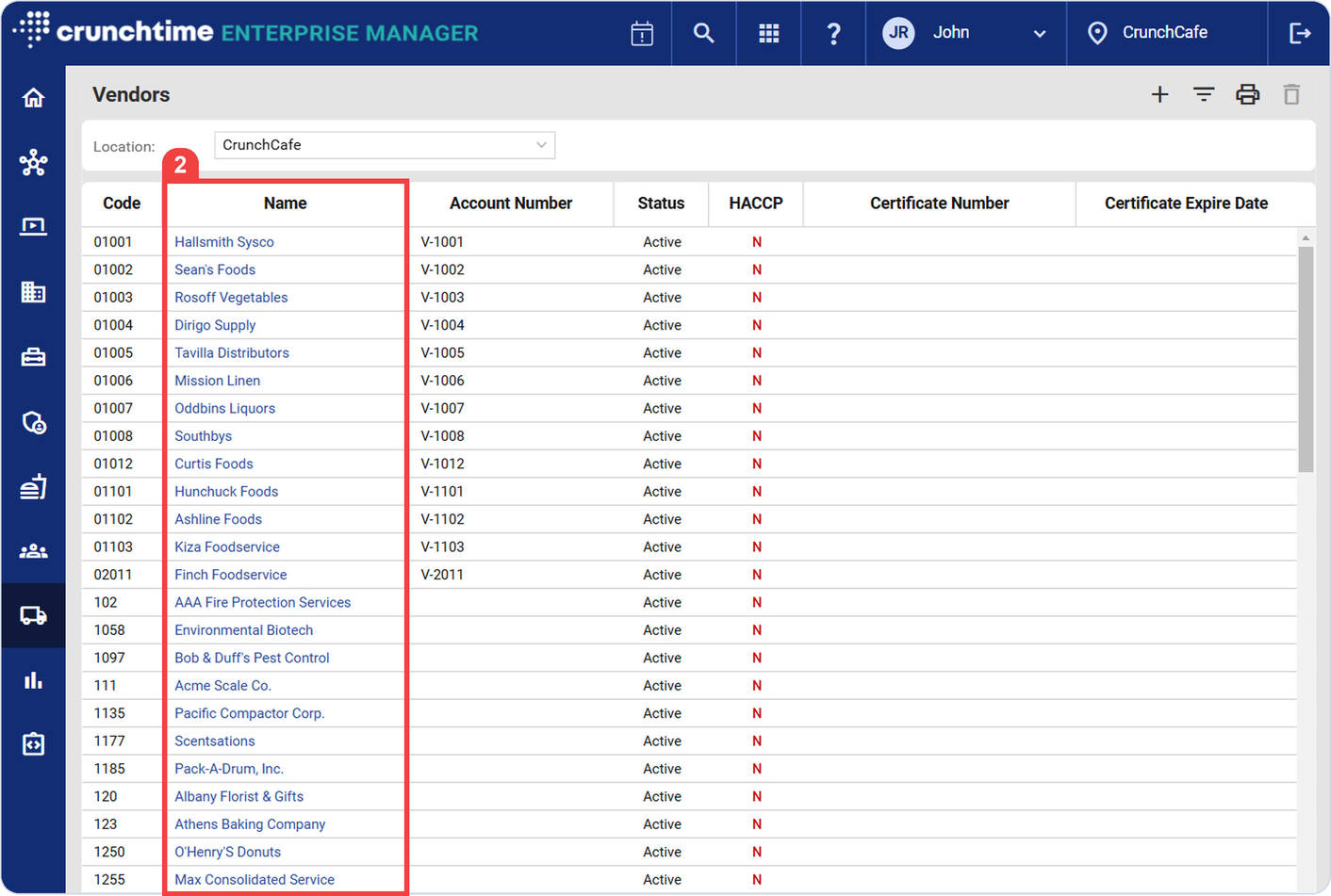
Verify that the Name of the vendors in Crunchtime match those entered in Xero.
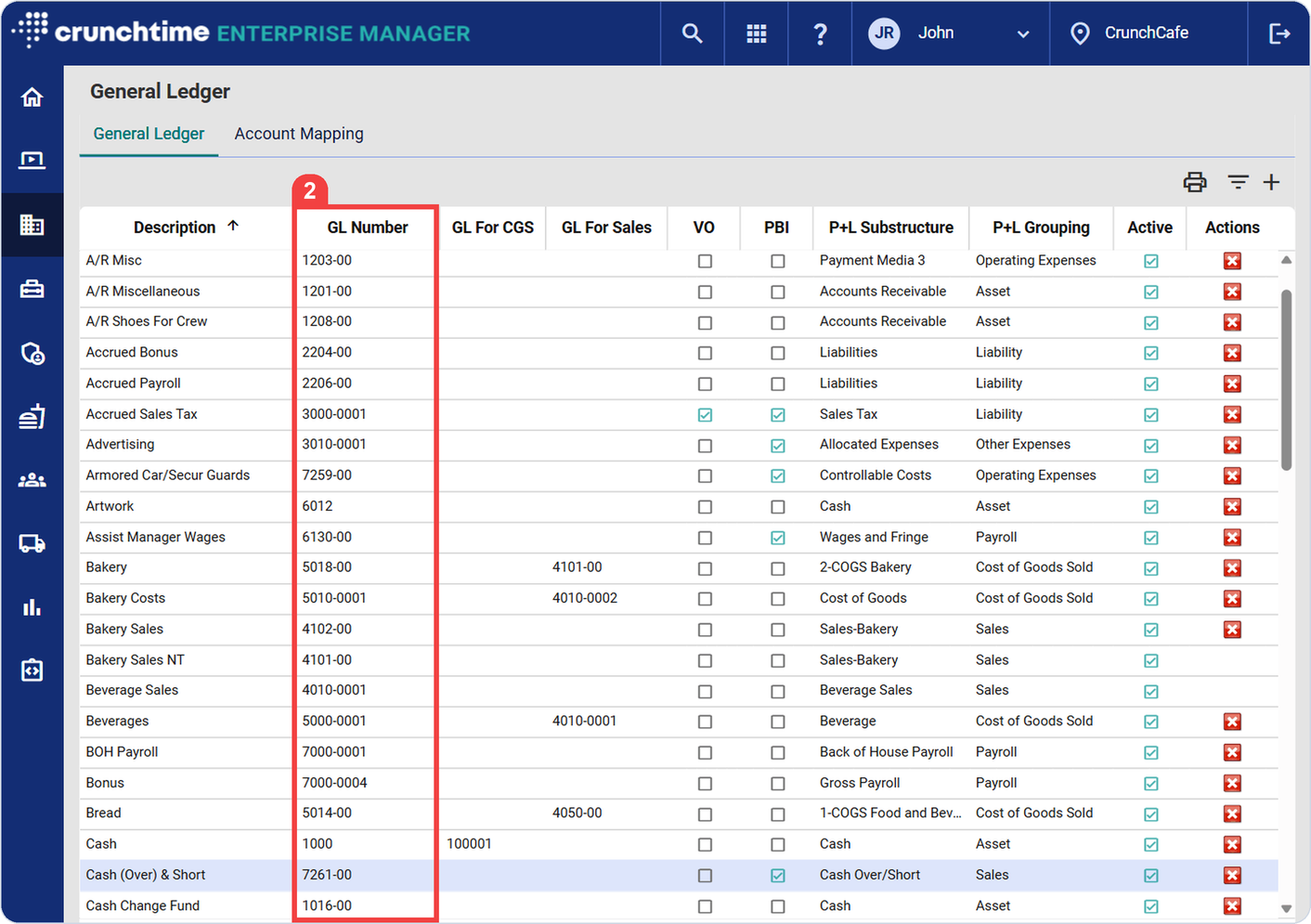
Verify that the GL Number of the accounts in Crunchtime match those entered in Xero.
There are two fundamental prerequisites for Sales exports:
The Export Mappings screen allows corporate users to define the Export Preferences for all of the available sales exports. Mapping for the Xero Sales export will be visible only when the Company User Defined Attribute for XERO_INTEGRATION_ENABLED = ‘true’. This mapping can only be edited by a corporate user associated with a User Group that has the “Export Mapping: Sales Edit” control enabled.
The following preferences can be defined for the Xero Sales export:
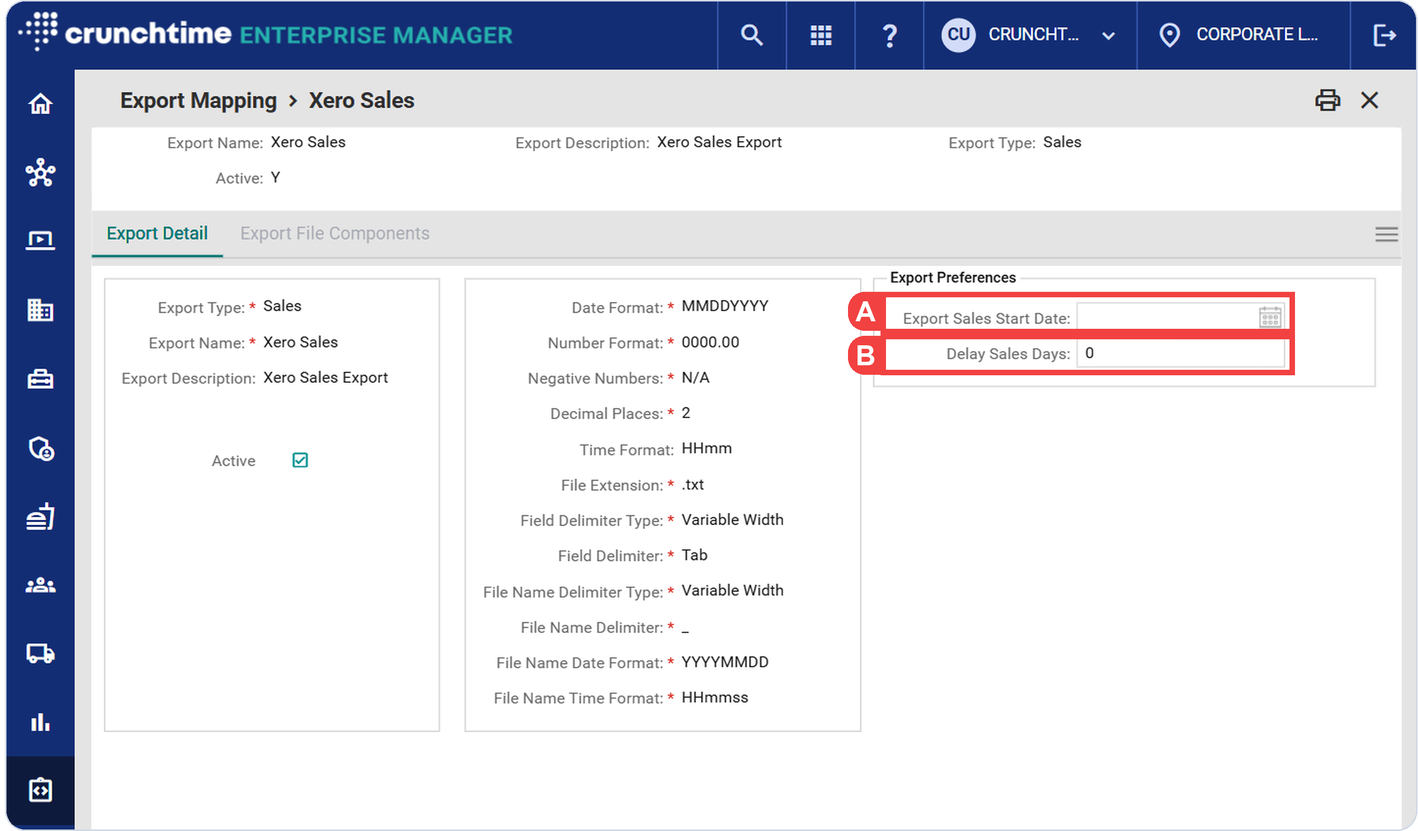
Export Sales Start Date – Select/enter the first date that should be included in the first export.
Delay Sales Days – Enter the number of days (0-6) that sales from the end of each period should be delayed from the period's export. The sales for those days will be included in the next period export. This helps ensure sales for each period are final prior to exporting to Xero.
The following Company-level UDAs are required for Xero integration.
| Field | Description | |
|---|---|---|
| 1 | XERO_INTEGRATION_ENABLED | Valid values are ‘true’ or ‘false’. Set this value to true to enable Xero integration. |
The following Company-level UDAs are available for Xero integration (listed alphabetically).
| Field | Description | |
|---|---|---|
| 1 | XERO_API_URL | Xero API host URL. |
| 2 | XERO_BILL_STATUS | Determines if a Vendor Bill comes in as auto-approved or waiting for manual approval. Valid entries are ‘DRAFT’, ‘SUBMITTED’ or ‘AUTHORISED’. |
| 3 | XERO_CLIENT_ID | The Client ID to create an access token for the Xero environment. |
| 4 | XERO_CLIENT_SECRET | The Client Secret ID to create an access token for the Xero environment. |
| 5 | XERO_EMAIL | After invoices are sent successfully, send notice to the following email address(es). Supports multiple emails separated by comma. If you do not wish to be notified for successful push, leave field blank. |
| 6 | XERO_JOURNAL_STATUS | Indicates whether journals need to be submitted in ‘Draft’ or ‘Posted’ mode. Default value will be ‘Posted’. |
| 7 | XERO_LOCATION_TRACKING_NAME | Set this value to the Xero Tracking Category name. |
| 8 | XERO_SCOPE | Modules the user wants to access on the Xero dashboard. |
| 9 | XERO_TENANT_ID | The organization ID from Xero. |
The following Location-level UDAs are available for Xero integration.
| Field | Description | |
|---|---|---|
| 1 | XERO_LOC_TENANT_ID | Location-specific organization ID from Xero. |