SG - Import Product Images Utility Download PDF
SETUP GUIDE

Import Product Images Utility

Setup Guide

Document Details

Document #: 161_SG_190627
Version Release Date: August 2018

System Requirements

QR code — scan to download the latest version of this guide
Be sure to grab the latest version of this document here: https://links.crunchtime.com/SG-ImportProductImagesUtility

OR by scanning the QR code to the left.


Import Product Images Utility

Introduction:

‘Import Product Images Utility’ is a tool Crunchtime developed to bulk import images for products and recipes. It supports these image formats:

Requirements:

Make sure the software listed below is installed and all is 64 bit before using the tool to import images.

  1. 1
    It can only be run on Crunchtime versions 04.40.00.00 and later.
  2. 2
    Oracle database (64 bit)
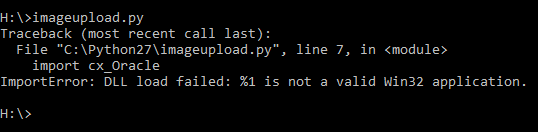
Warning If your Oracle is not 64 bits, you will get the following error when you run the tool:
  1. 3
  2. 4
  3. 5
    openpyxl
    At command prompt type: pip install openpyxl
Note If ‘pip’ Cannot be recognized when run ‘pip…’ at command prompt, please add environment variable: C:\Python27\Scripts
  1. 6
    Pillow library
    At command prompt type: pip install Pillow
  2. 7
    configparser library
    At command prompt type: pip install configparser

Running:

  1. 1
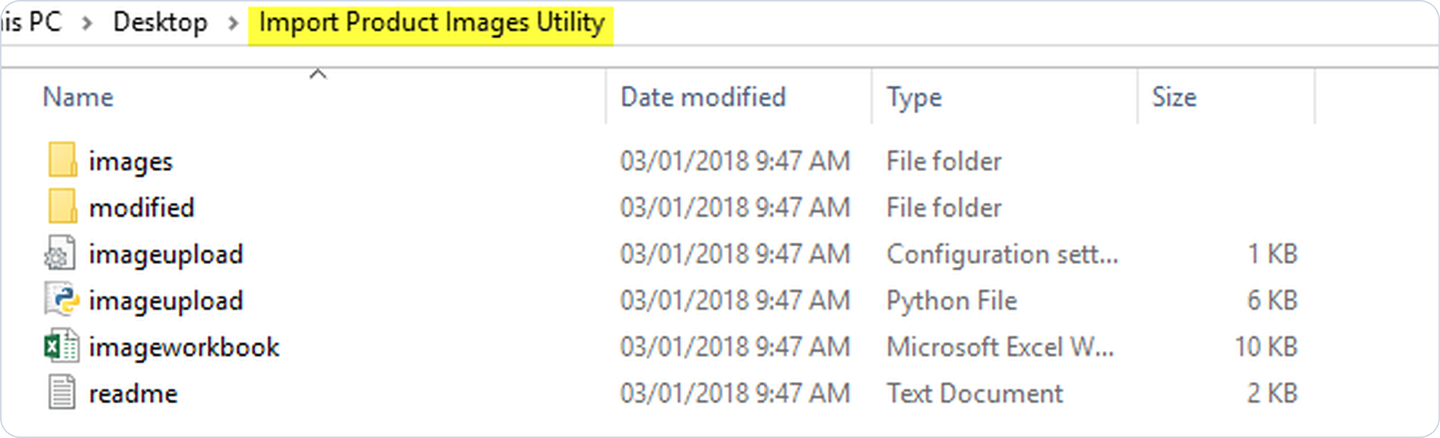
    Download the code Crunchtime provided. After downloading Import Product Images Utility, check that it includes these files:
Screenshot
  1. 2
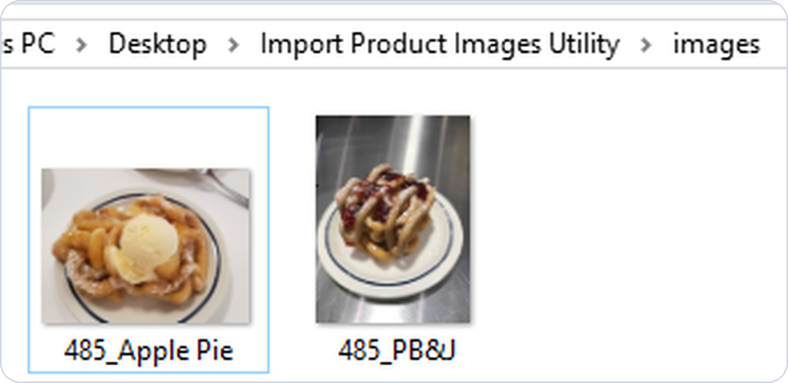
    Put the images you want to upload in the images file folder:
Screenshot
  1. 3
    Modify Imageupload.ini
Screenshot

[DBCONNECTION]

username - Database username

password - Database password

tnsnames - Database TNS information

[MISC]

workbook - Name of workbook

imagefld - Folder where unedited images are located

imagemod - Folder where edited images are stored

maxwidth - Maximum width of an image in pixels (Recommended not to exceed 512)

maxheigt - Maximum height of an image in pixels (Recommended not to exceed 352)

(See example on next page)

Example of modifying imageupload.ini:

Screenshot
  1. 4
    Fill out imageworkbook
    This indicates which Product Number is associated with each image file.
Screenshot

Below is an example:

Screenshot
  1. 5
    Running:
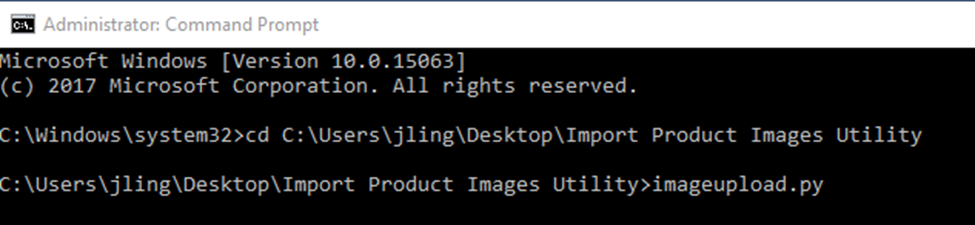
    At command prompt: python imageupload.py
    If there are errors they will be spooled to errors.log
Note If it doesn’t work. Try run command prompt as administrator. Then cd to the path where you store imageupload.py. Then type: imageupload.py

Summary:

All required software should be 64 bit. In addition, Product Numbers and Image Names are needed in order to bulk import images for product or recipe.