Be sure to grab the latest version of this document here:
https://links.crunchtime.com/NCQS-CreateVendorReturn
OR by scanning the QR code to the left.
Watch the tutorial on MainCourse: https://links.crunchtime.com/NCVO107k8r3
The Vendor Return module lets users create and reconcile product returns in one efficient transaction. When a return is created and reconciled, the return quantity for each product in the transaction is removed from the inventory of the storage location indicated.
OR by scanning the QR code to the left.
Watch the tutorial on MainCourse: https://links.crunchtime.com/NCVO107k8r3
| Screen Name | Control Name | Description |
|---|---|---|
| NC-Vendor Returns | Look Up Invoice | Enables the “Vendor Returns” option on the Purchasing menu. When processing a Vendor Return, uses the price from a specific invoice from the selected vendor. |
| NC-Vendor Returns | Use Last Price | Enables the “Vendor Returns” option on the Purchasing menu. When processing a Vendor Return, uses the price from the most recent invoice from the selected vendor. |
| NC-Vendor Returns | Override Available Quantity Restriction | Allows users to enter a Return quantity that exceeds the current On Hand quantity. |
A product can only be returned to a vendor if all of the following are true:
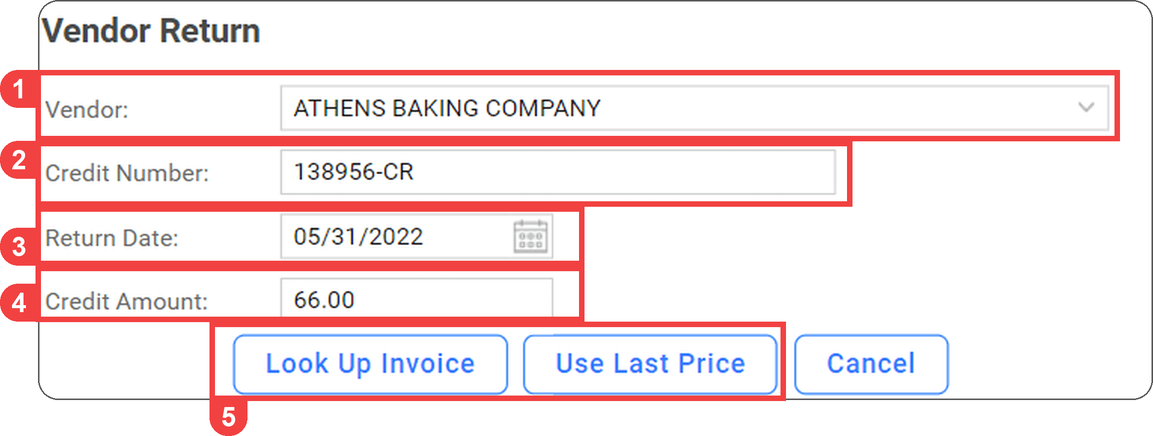
In the selection screen, select an existing Vendor using the drop down.
Enter a Credit Number.
Edit the Return Date.
Enter a Credit Amount.
Select either Look Up Invoice or Use Last Price. If Look Up Invoice is selected, choose the invoice from which you would like to add product(s) from the pop-up window.
| Look Up Invoice | Use Last Price |
|---|---|
Returns using this option are for returning products against a specific invoice. Returns can be made only up to the original quantity purchased and will be calculated using the price from the original order, either Contract or Invoice, based on the Pricing Rules defined for that vendor in Enterprise Manager. The drop-down will only display invoices with an Actual Delivery date that falls within the past 90 days.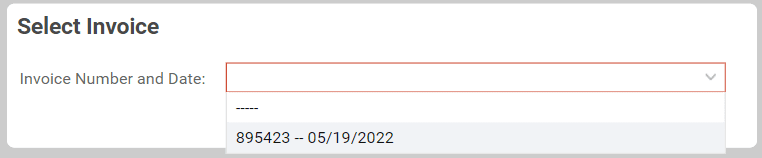 | Return using this option if not returning products against a specific invoice. The return form will be displayed containing a list of all products previously ordered from this vendor. Pricing will be calculated using the Contract or Invoice Price on the last reconciled purchase order from the selected vendor. |
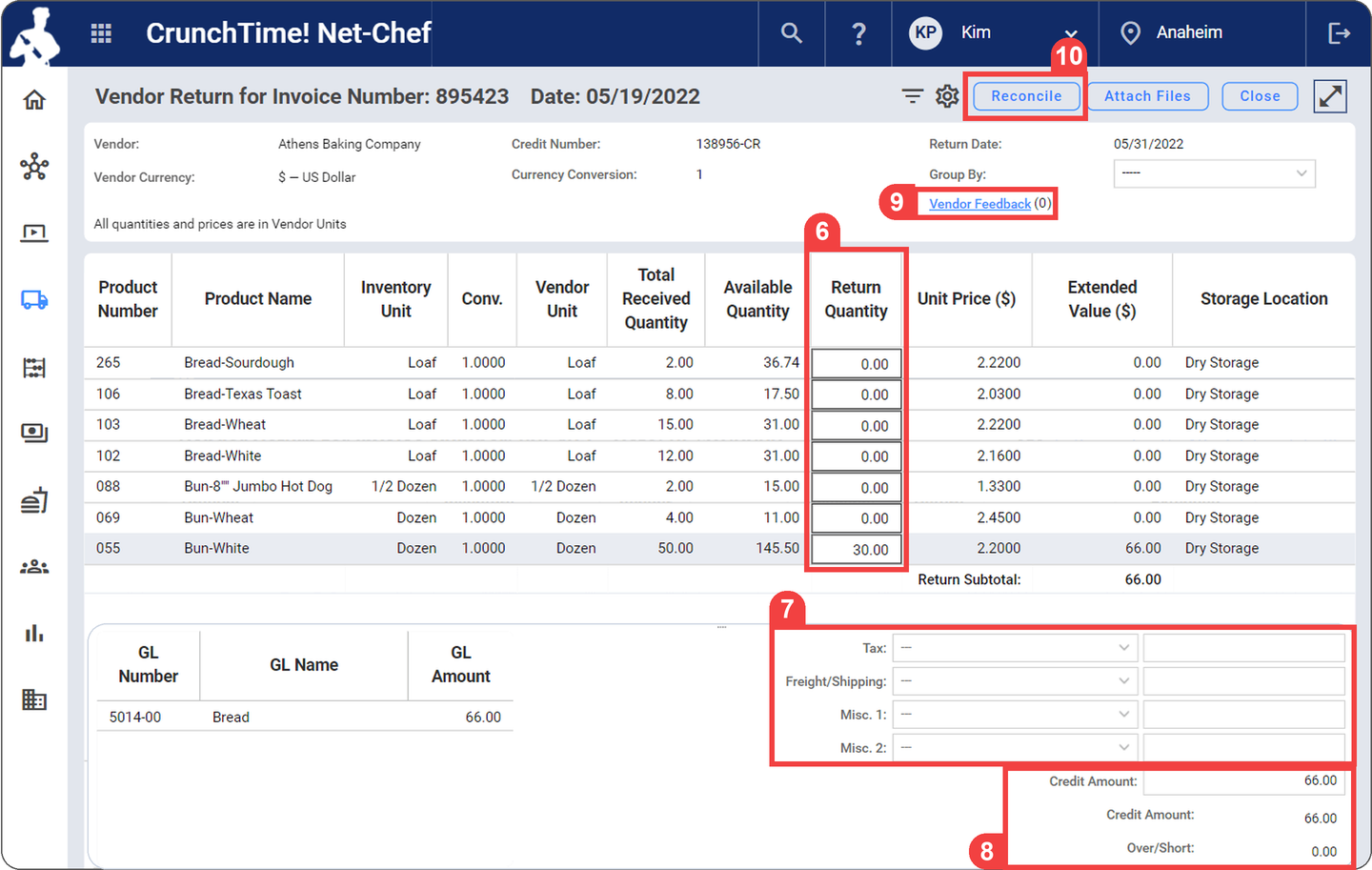
Enter the quantity of the products being returned in the Return Quantity column.
Enter any Tax, Freight or Misc. line item costs that may apply.
Ensure the Credit Amounts are equal, and the Over/Short value is zero (0.00).
Select Vendor Feedback to provide comments on the return.
Select Reconcile.

