Location Transfers allows you to move inventory from one location to another. This enables locations to share product to avoid shortages and last-minute trips to the grocery store. Read this guide to get started.
OR by scanning the QR code to the left.
Watch the tutorials on MainCourse: https://links.crunchtime.com/NCI103a-7tiu
https://links.crunchtime.com/NCI103c-ipf2
| Screen Name | Control Name | Description |
|---|---|---|
| NC-Daily Store Tasks | Location Transfer | Enables the Create Location Transfer option on the Inventory menu, the corresponding (+) icon on the Recent Location Transfers screen, and the and Sender & Receiver Initiated Transfer options in the Create Location Transfer pop-up. |

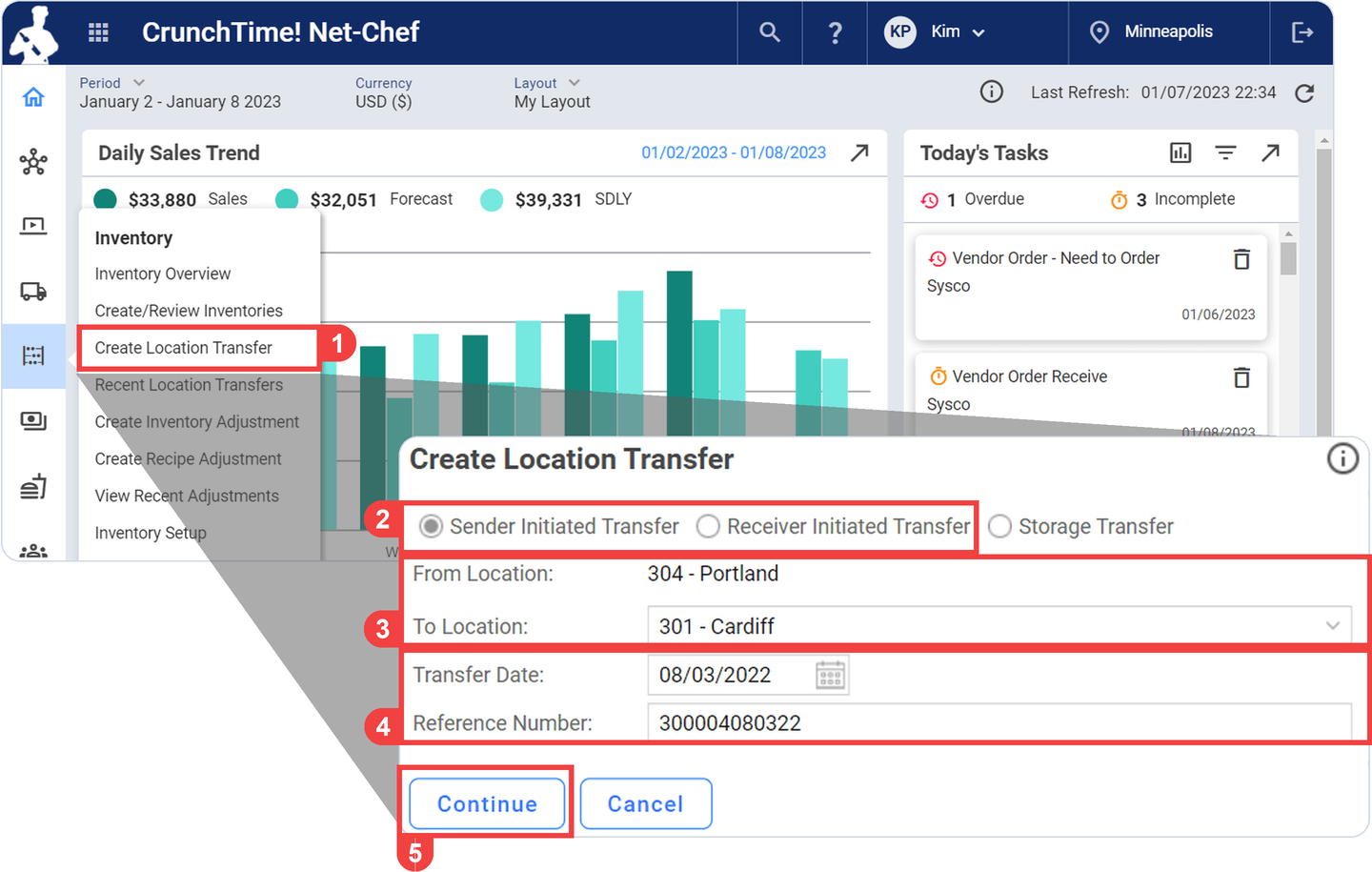
From the Inventory menu, select Create Location Transfer.
In the pop-up, pick either:
• Sender Initiated – if your location is sending product to another location.
• Receiver Initiated – if your location is requesting product from another location.
Use the To Location or From Location drop-down menu to select the location that will receive or send the product. The available drop-down depends on which option was selected in Step 2.
If necessary, update the Transfer Date and Reference Number.
Select Continue.
The remaining steps are the same for both Sender and Receiver Initiated Transfers:

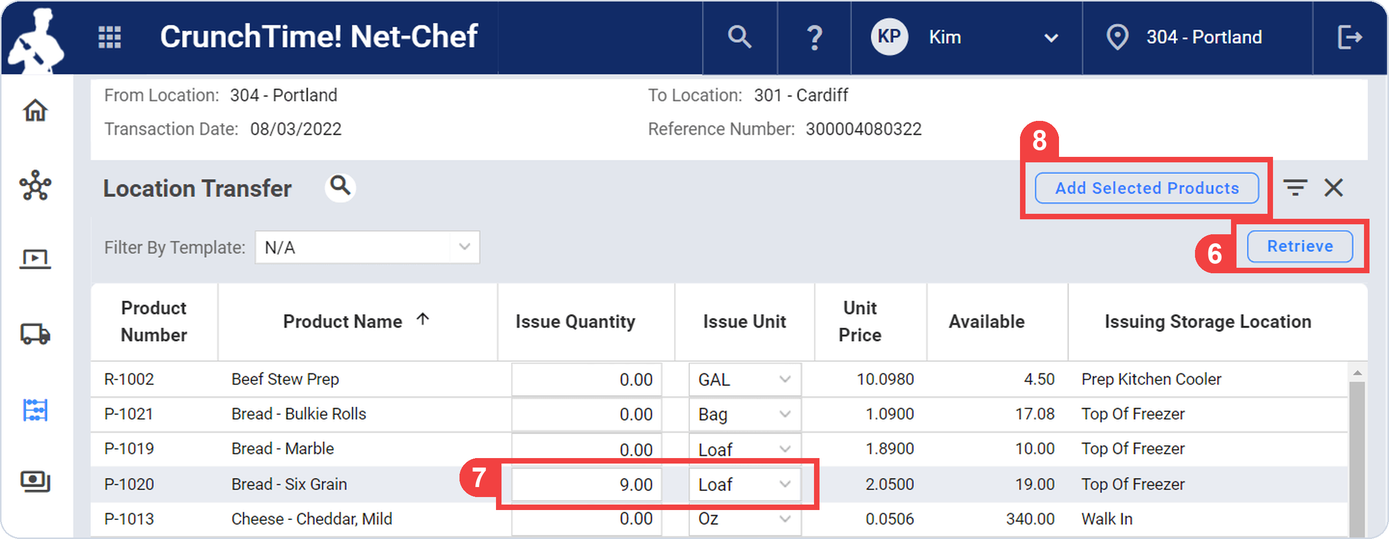
Select Retrieve to see the list of available products.
Update the Issue or Request Quantity and Issue Unit fields with how much product should be transferred. Repeat this step for all desired products.
Choose the Add Selected Products button. All products with an Issue/Request Quantity other than zero will be added to the transfer.

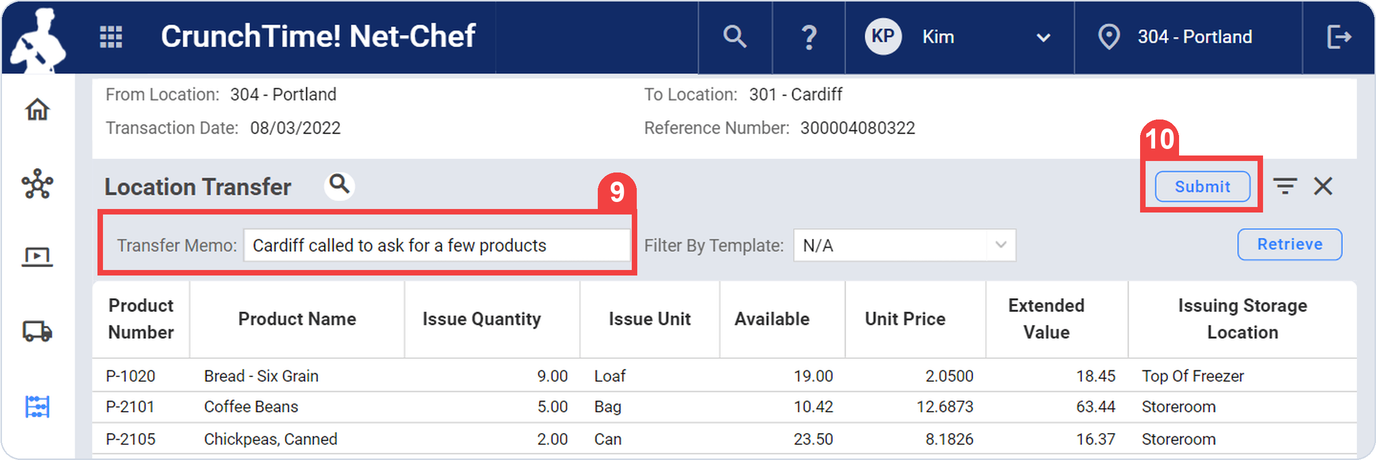
On the new screen, write a Transfer Memo to record why the product was transferred (optional)
Once finished, select Submit.

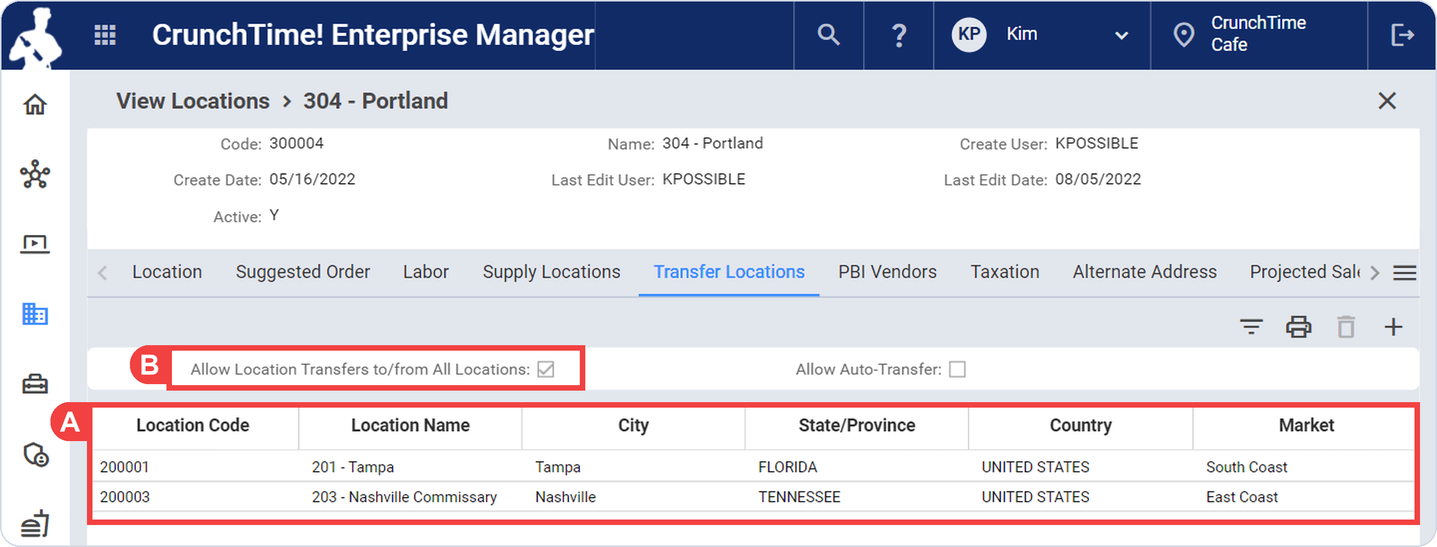
The destination location is listed on the Transfer Locations tab in Enterprise Manager.
The “Allow Location Transfer to/from All Locations” box is checked.
Locations will be available as a transfer destination (either to or from) if one of the following is true:
Products will only be available to transfer when all of the following are true: