Download the latest version of this document here:
https://links.crunchtime.com/NCQS-CreateBackOrder
… or scan the QR code to the left.
This document explains how to create a back order so locations can track and receive products that were temporarily out of stock on their original order.
… or scan the QR code to the left.
| Screen Name | Control Name | Description |
|---|---|---|
| NC-Purchasing | Create Back Order during VO Reconcile | Allow users to create back orders for items not completely fulfilled on a Vendor Order. |
| NC-Other Store Tasks | View/Edit Recent Vendor Orders | Enables Recent Vendor Orders on the Purchasing menu. |
| NC-Purchasing | Reconcile | Allows users to complete the reconcile process. |
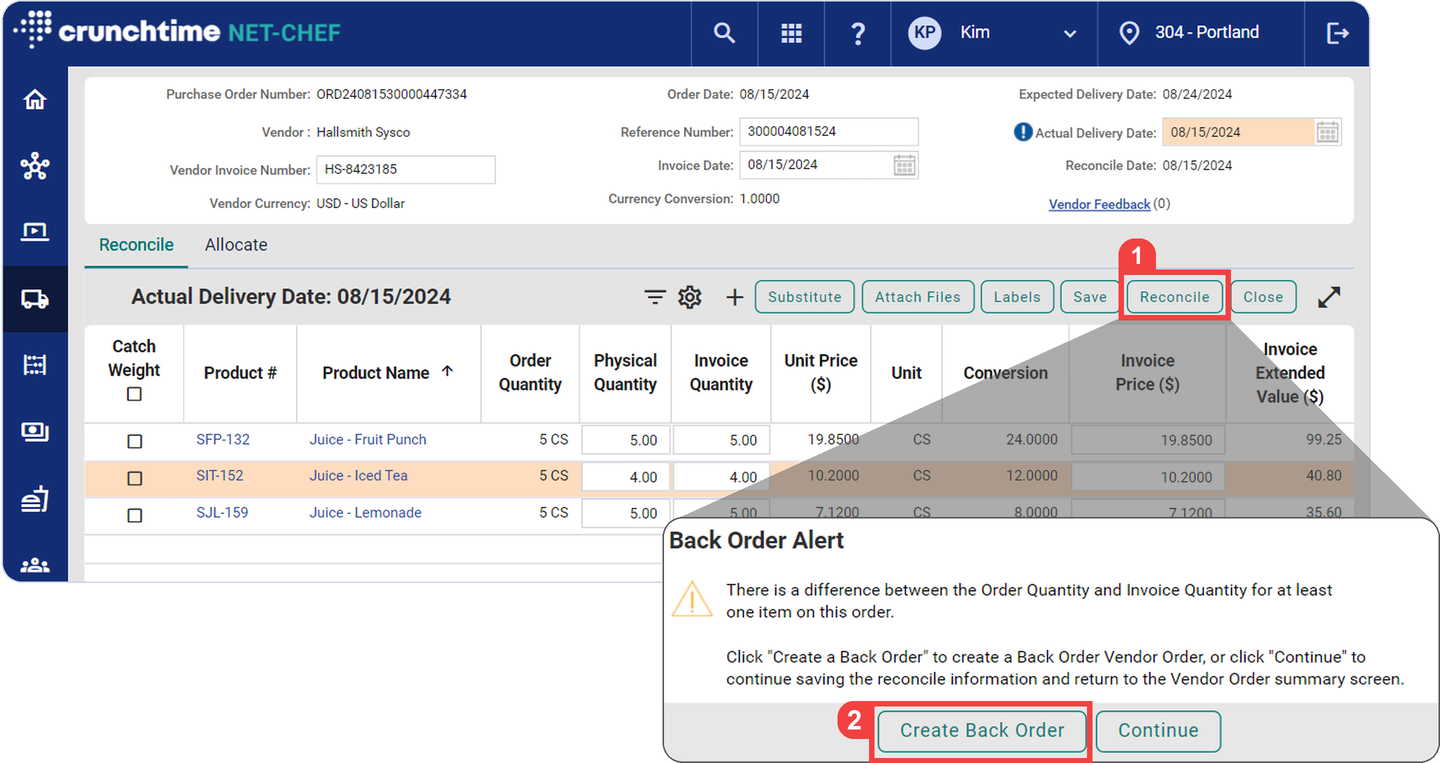
From the Vendor Order Reconcile screen, select Reconcile.
Choose Create Back Order.

Users will be prompted to create a Back Order when all of the following conditions are met: