Be sure to grab the latest version of this document here:
https://links.crunchtime.com/EMSG-AssignCategories
OR by scanning the QR code to the left.
This guide will prepare you to assign your Products and Recipes to Categories that you configure. Categories are primarily used to group like Products and Recipes together for reporting purposes and are a required setup piece in creating your Crunchtime Database.
OR by scanning the QR code to the left.
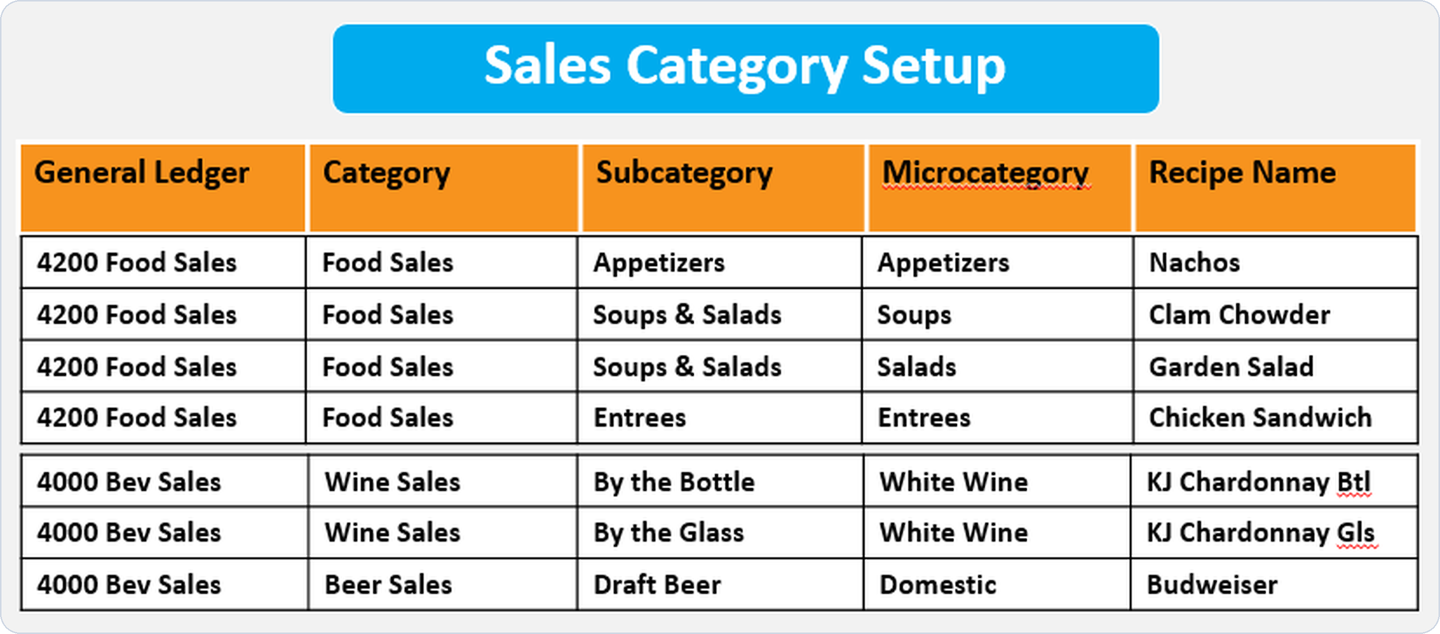
Categories are assignments that are made in order to group like Products and Recipes together when filtering in reports. Crunchtime provides you with the option to assign three different levels of Categories that allow you to see both broad and more granular reporting. The levels are as follows:

If you choose to use a Sub or Microcategory for one item, you must for all items.
You might be thinking “But I really only want to see detailed Microcategory reporting for my high cost Products” – Don’t fret, you can just copy the subcategory text into the Microcategory field.
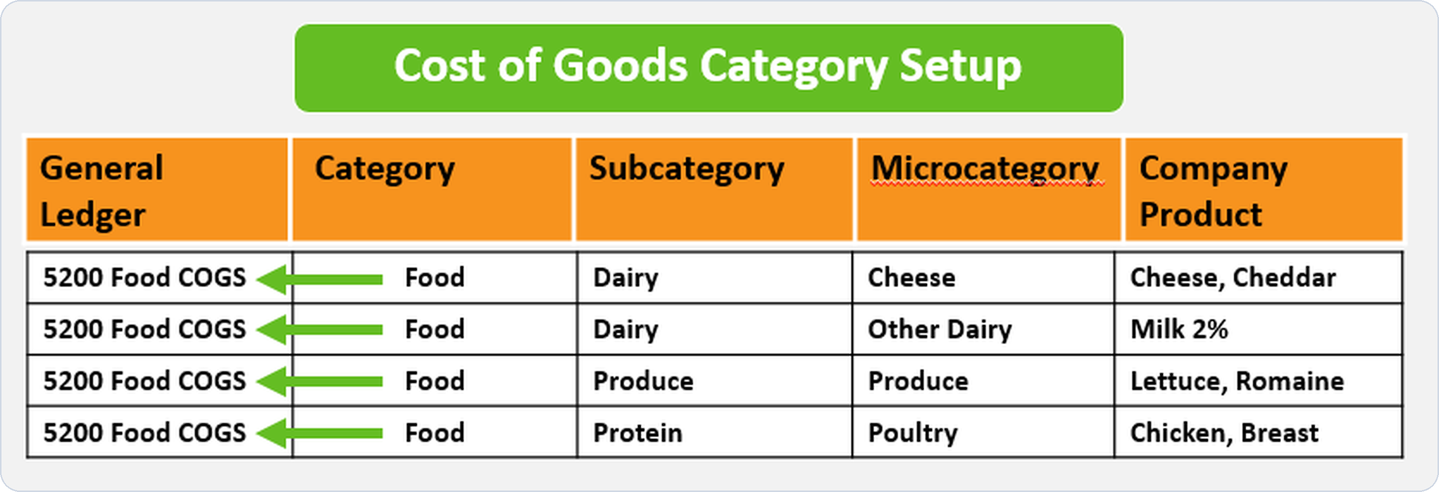
A General Ledger Account must be linked to each Category combination. It can be linked at either the Category or Subcategory level, but needs to remain consistent throughout.
Products and Prep Recipes should be linked to a Category that you associate with cost items. These Categories should link back to your Cost of Goods Sold GLs.
POS Recipes should be linked to Sales GLs and Sales Categories.